
The context is scattered.
Code lives in the editor. Runtime status, metrics, and API policies live elsewhere. Investigating an application means piecing those views together.
 DEVELOPER TOOLS / VS CODE
Your platform, inside your editor.
Inspect applications, stream live logs, and test DataWeave while you work. Bring everyday Anypoint tasks into VS Code.
Requires VS Code 1.96+ and an Anypoint Platform account with the appropriate permissions.
An independent project I created and develop, shaped by the work of building and operating integrations.
Code lives in the editor. Runtime status, metrics, and API policies live elsewhere. Investigating an application means piecing those views together.
I built a connected workspace for CloudHub applications, a Command Center for each app, and views for architecture, policy coverage, and incident context.
Developers can inspect deployment context, review performance, and follow application structure in their editor. The screens below show that workflow in the extension.
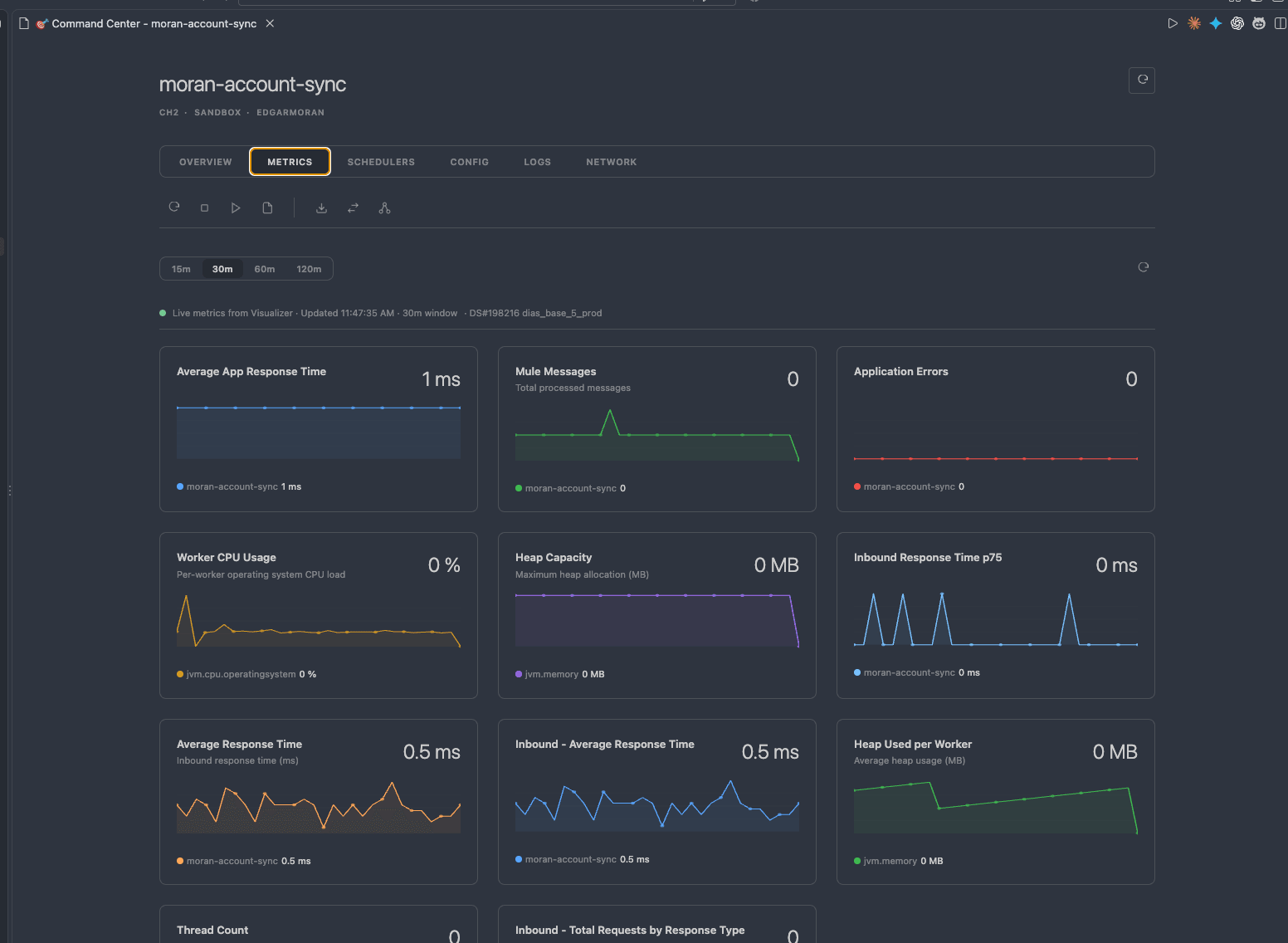
Choose a view, then open it full size. These captures show the extension in use; displayed metrics describe the captured environment.
Response times, messages, errors, CPU, and memory together in the application Command Center.
Actual extension screenshots supplied by Edgar Moran.Checking an application shouldn't pull you out of the code you're working on. This extension puts platform information alongside your development workflow.
Inspect CloudHub applications and switch between accounts and environments from your workspace.
Stream logs with filters to investigate application behavior without opening another console.
Use the DataWeave playground to explore transformations alongside your code.
code --install-extension EdgarMoran.anypoint-monitorOr install from your terminal.
Find Anypoint Monitor in VS Code Extensions, or use the command shown here.
Open the Command Palette and run AM: Login into Anypoint Platform. Complete the sign-in in your browser.
Start with the application overview, then open live logs or the DataWeave playground.
The Marketplace has the latest features and requirements. Report an issue or suggest an improvement on GitHub.
Issues & feedback